# HDi Screens Mirror the A2 screen to A1

<div id="bkmrk--3"></div><div id="bkmrk-how-to-mirror-the-a2"><div>**<u>How To Mirror the A2 screen to A1</u>**  
</div></div><div id="bkmrk-1.-turn-on-a1-and-a2"><div>1. Turn on A1 and A2 screens.  
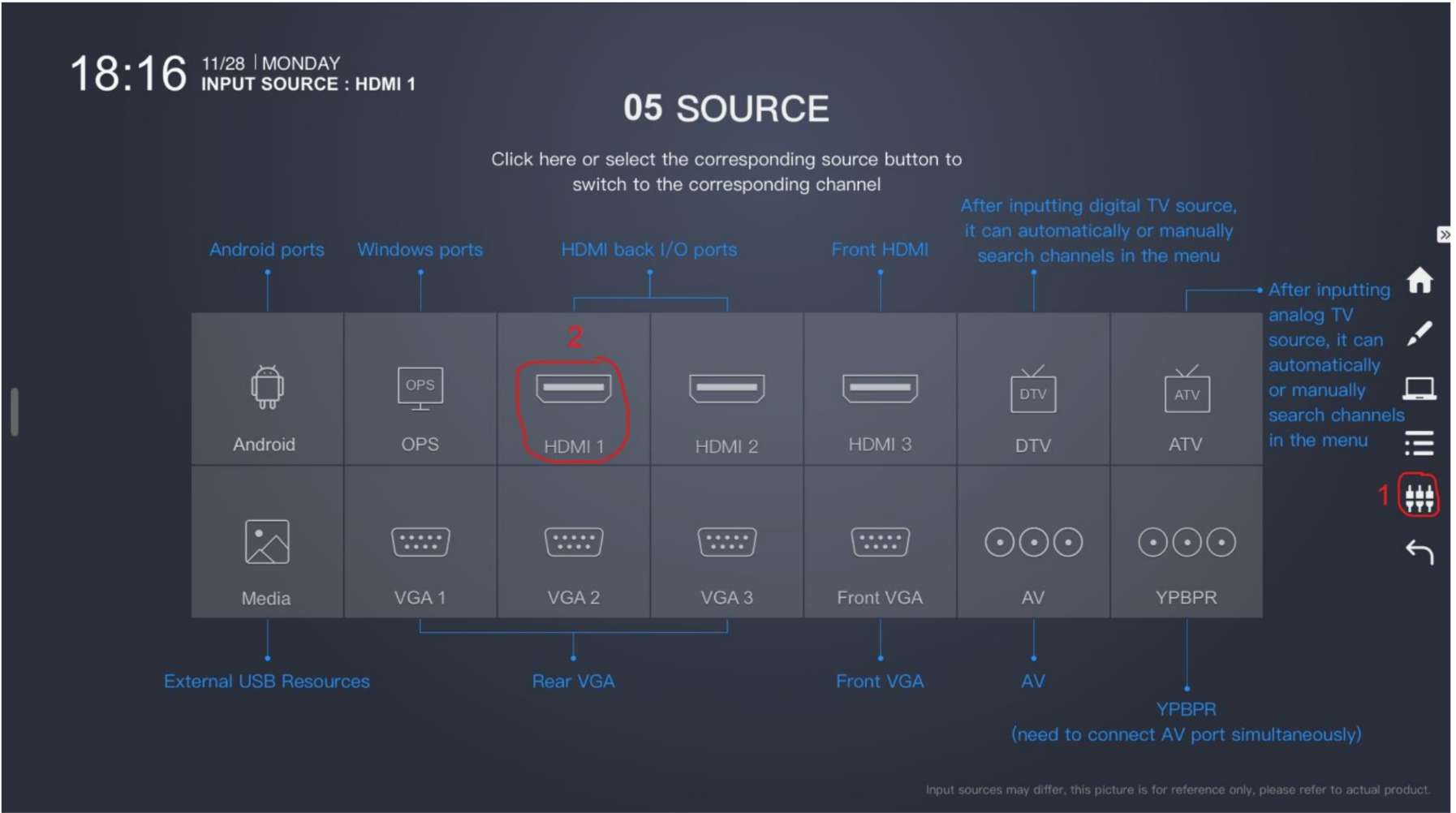
</div></div><div id="bkmrk-2.-connect-your-devi"><div>2. Connect your device to the A2 screen using AirSever (miracast, Airplay, or chromecast) or HDMI cable.</div></div><div id="bkmrk-3.-on-the-a1-screen-">3. On The A1 screen set the input to HDMI 1</div><div id="bkmrk--4">![](https://support.wrc.vic.edu.au/api/v1/attachments/26102)  
</div><div id="bkmrk--5">  
</div><div id="bkmrk-please-note-that-it-">**<u>Please note that it is not possible to mirror A1 to A2.  
</u>**</div>