
# Student Guide: Booking an Appointment with Doctors in Secondary Schools (DiSS) in Compass
Warragul Regional College has set up Compass Conferences as the booking system for students to make appointments with the Doctors in Secondary Schools (DiSS) program.
Option 1 — Booking from the Dashboard Alert
- Log in to Compass.
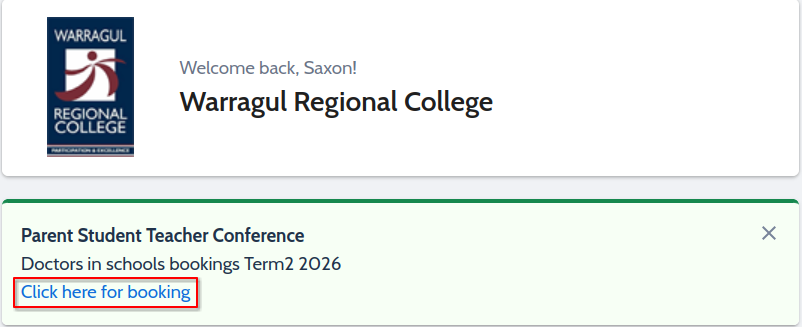
- From the Home Screen, look for an alert on your dashboard prompting you to make a booking.
- Click the hyperlink to begin the booking process.
Option 2 — Booking Through the Community Tab
- Log in to Compass.
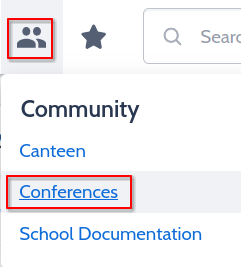
- Select the Community tab from the top menu.
- Click Conferences.
Finding the Correct Booking Cycle
-
You will be taken to the Conference Cycles page.
-
Find the cycle named:
Doctors in Schools Bookings – Term # Year
-
Press My Bookings next to the cycle name.
Making Your Booking
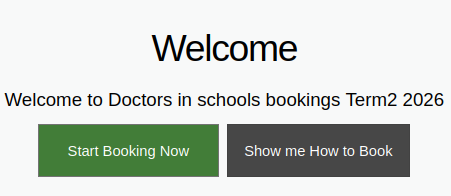
- You will then be prompted to either:
- Start Booking Now
- Show Me How to Book
-
Select Start Booking Now to continue making your appointment.
-
Follow the prompts to choose an available appointment time.
-
Confirm your booking when finished.
Need Help?
If you experience any issues booking your appointment, please contact the school office or wellbeing team for assistance.